If you're doing B2B sales on LinkedIn, you've probably considered using an outreach chrome extension to automate prospecting and messaging. These browser-based tools promise to save hours by automating connection requests, message sequences, and follow-ups directly from your LinkedIn profile.
But here's what most sales teams discover too late: not all chrome extensions are created equal. Some violate LinkedIn's terms of service, putting your account at risk. Others lack the sophistication needed for personalized outreach at scale. And many completely miss the most important aspect of modern B2B sales: reaching prospects who are already showing buying intent.
This guide breaks down everything you need to know about outreach chrome extensions, from how they work to critical safety considerations, feature comparisons, and smarter alternatives that prioritize both effectiveness and account safety.
What Is an Outreach Chrome Extension?
An outreach chrome extension is a browser plugin that automates LinkedIn prospecting and messaging activities. These tools integrate directly with your LinkedIn session, allowing you to automate tasks like:
- Sending connection requests in bulk
- Automating personalized messages to new connections
- Creating multi-step message sequences
- Scraping profile data for lead lists
- Scheduling follow-up messages
- Tracking engagement metrics
The appeal is obvious: instead of manually sending 20-30 connection requests per day, a chrome extension can automate this process while you focus on other tasks. Most extensions operate in your browser tab, mimicking human behavior by adding random delays between actions to avoid detection.
Chrome extensions typically fall into two categories:
Basic Automation Tools: These handle simple tasks like bulk connection requests and templated messages. They're usually cheaper but lack advanced features like CRM integration or sophisticated personalization.
Full Sales Automation Platforms: These offer comprehensive workflows including lead scraping, multi-channel outreach, A/B testing, and analytics dashboards. They cost more but provide enterprise-level capabilities.
Critical Safety Considerations: LinkedIn Terms of Service
Here's the uncomfortable truth that many chrome extension vendors downplay: LinkedIn explicitly prohibits automation tools in their User Agreement. Section 8.2 states that users may not "develop, support or use software, devices, scripts, robots, or any other means or processes" to scrape LinkedIn or automate activity.
LinkedIn's detection algorithms have become increasingly sophisticated. The platform monitors for:
- Unusually high activity volumes (connection requests, messages, profile views)
- Repetitive patterns that don't match human behavior
- Multiple sessions from different locations simultaneously
- Known automation tool signatures and browser fingerprints
- Sudden spikes in activity from previously inactive accounts
When LinkedIn detects automation, consequences range from temporary restrictions to permanent account bans. For B2B professionals, losing your LinkedIn account means losing years of connections, conversations, and social proof-a devastating blow to your professional brand.
The real risk isn't just account suspension. When you run automation from your personal LinkedIn account, you're putting your primary professional identity at risk. Even if you follow "safe" usage patterns (limiting daily actions, adding random delays), you're still operating in a gray area that LinkedIn can crack down on at any time.
This is why understanding the difference between chrome extensions that run on your account versus platforms with external infrastructure is critical. The former puts your reputation on the line; the latter separates your prospecting activities from your personal brand.
Essential Features to Look for in LinkedIn Automation Tools
If you're evaluating outreach chrome extensions or LinkedIn automation platforms, here are the features that actually matter for B2B sales success:
1. Intent-Based Prospecting
The biggest mistake in LinkedIn outreach is treating it like a numbers game. Sending 1,000 connection requests to cold prospects yields far worse results than sending 100 messages to people already showing buying intent.
Advanced platforms now identify prospects based on behavioral signals: who's engaging with competitor content, searching for solutions in your category, posting about pain points your product solves, or changing jobs into roles that need your service. This approach-often called demand surface mapping-focuses on high-intent buyer signals rather than demographic targeting alone.
Traditional chrome extensions typically lack this capability. They can scrape profiles based on titles, companies, and locations, but they can't identify real-time buying intent. This fundamental limitation means you're still doing spray-and-pray outreach, just faster.
2. AI-Powered Personalization
Personalization isn't just inserting {{FirstName}} into templates. Effective personalization references specific activities: a recent post they shared, a comment they made, a job change, or a company milestone.
Look for tools that can:
- Analyze prospect activity and generate contextual opening lines
- Adapt messaging based on prospect responses
- Create variations that feel natural, not formulaic
- Reference industry-specific pain points and use cases
The best AI personalization understands context. If someone just commented on a post about scaling sales teams, your message should acknowledge that specific interest, not send a generic pitch about your product.
3. Multi-Step Sequence Automation
One message rarely converts a prospect. Effective outbound sales requires multiple touchpoints: an initial connection request, a value-driven introduction, educational follow-ups, and strategic check-ins.
Your automation tool should support:
- Conditional logic (if they respond, stop sequence; if they view profile, send follow-up)
- Time delays between messages (3 days, 1 week, 2 weeks)
- A/B testing different message variations
- Automatic pausing when prospects engage
Without smart sequencing, you risk either under-following-up (leaving opportunities on the table) or over-messaging (annoying prospects with repetitive outreach).
4. Account Safety and Compliance
This is non-negotiable. Your automation solution should prioritize account safety through:
- Activity limits that stay well below LinkedIn's detection thresholds
- Randomized delays between actions to mimic human behavior
- Gradual warmup periods for new automation campaigns
- Ideally, external infrastructure that doesn't run on your primary LinkedIn account
Be skeptical of chrome extensions that promise "unlimited" activity or "LinkedIn-proof" automation. If it sounds too aggressive, it probably is.
5. Unified Inbox and Response Management
As you scale outreach across multiple accounts or campaigns, managing responses becomes complex. You need a centralized inbox that:
- Aggregates messages from all LinkedIn accounts
- Flags hot leads who show strong buying signals
- Provides context on previous interactions
- Allows team collaboration on responses
- Integrates with your CRM
Many basic chrome extensions lack this feature, forcing you to check multiple LinkedIn accounts individually-defeating the purpose of automation.
6. Analytics and Performance Tracking
You can't optimize what you don't measure. Essential metrics include:
- Connection acceptance rates
- Reply rates by message variation
- Meeting booking rates
- Response time analytics
- Pipeline value generated from LinkedIn outreach
Advanced platforms also track high-intent signals over time, showing you which prospect behaviors correlate with closed deals. This data transforms LinkedIn from a prospecting channel into a predictable revenue engine.
Popular Chrome Extension Options and Their Limitations
Several outreach chrome extensions have gained popularity in the B2B sales community. While we won't name specific competitors, it's worth understanding the common categories and their typical limitations:
Category 1: Basic Connection Automation
These simple extensions focus primarily on automating connection requests and basic messaging. They're usually priced under $50/month and appeal to solo entrepreneurs or small teams.
Limitations: Minimal personalization capabilities, no intent targeting, limited to single-account operation, basic or no analytics, and they run directly on your LinkedIn account with all associated risks.
Category 2: Full-Feature Sales Automation
More comprehensive platforms offering multi-step sequences, CRM integration, email + LinkedIn coordination, and team collaboration features. Pricing typically ranges from $99-299/month per user.
Limitations: Still operate as chrome extensions running on your account, can trigger LinkedIn restrictions if not carefully configured, often require significant manual setup and ongoing optimization.
Category 3: Enterprise Platforms
Sophisticated sales engagement platforms with LinkedIn automation as one component alongside email, phone, and multi-channel orchestration. Pricing starts at several hundred dollars per month.
Limitations: Expensive for small teams, steep learning curve, still carry LinkedIn compliance risks despite advanced safety features, often overkill if you primarily focus on LinkedIn.
The common thread: all chrome extension approaches share a fundamental vulnerability-they operate within your browser, using your LinkedIn account, putting your professional reputation at risk every time they run.
Smarter Alternatives: External Infrastructure and Intent-First Platforms
The most significant evolution in LinkedIn automation isn't about better chrome extensions-it's about entirely different architectures that prioritize both effectiveness and safety.
Rather than running automation on your personal LinkedIn account, modern platforms use external infrastructure. This means:
- Prospecting activity happens on separate accounts managed specifically for outbound
- Your personal profile remains untouched and risk-free
- You can run significantly higher volumes without jeopardizing your brand
- If an account faces restrictions, your professional identity isn't affected
This architecture shift fundamentally changes the risk equation. You're no longer choosing between growth and safety-you can pursue both.
But infrastructure alone isn't enough. The real breakthrough comes from combining safe infrastructure with intent-based targeting. Instead of scraping Sales Navigator for titles and companies (an approach similar to Sales Navigator alternatives), advanced platforms identify prospects based on 300+ behavioral signals:
- Who's actively engaging with your competitors
- Who's searching for solutions in your category
- Who's posting about problems your product solves
- Who's changing roles into positions that need your service
- Who's attending events or joining groups related to your industry
This intent-first approach delivers dramatically better results because you're reaching people at the moment they're considering solutions, not interrupting them with cold pitches months before they're ready to buy.
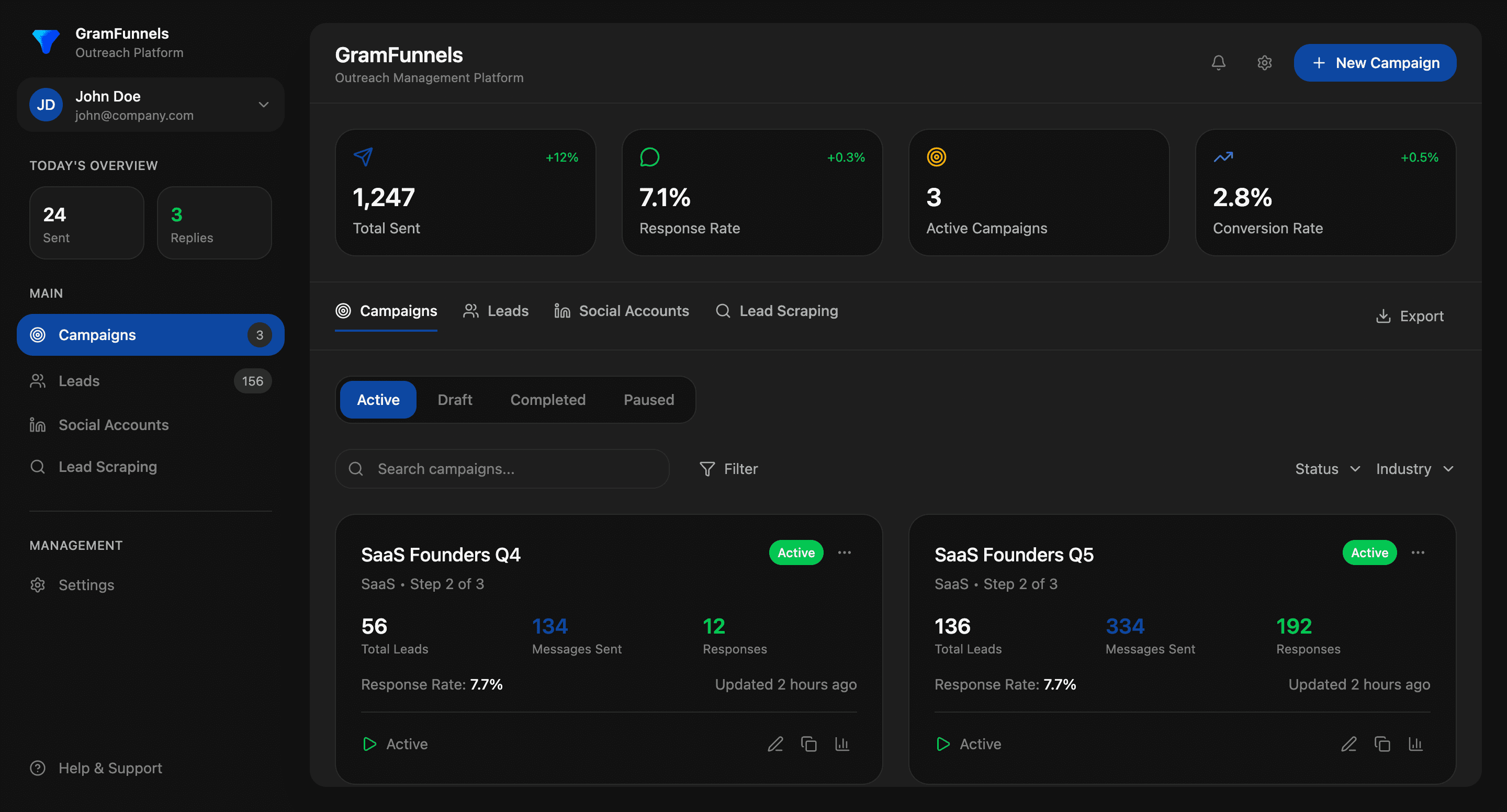
The GramFunnels Approach
While this guide is educational, it's worth briefly noting how platforms like GramFunnels address these challenges differently than traditional chrome extensions.
GramFunnels operates exclusively on LinkedIn (not Instagram, Twitter, or other social platforms) and focuses on what they call "Demand Surface Mapping"-identifying the network of prospects already showing buying intent in your market. Rather than running as a chrome extension on your account, it uses external infrastructure to keep your personal profile completely separate from outreach activities.
The platform includes an AI SDR (Sales Development Rep) that handles prospecting, messaging, and follow-up 24/7 based on intent signals, not just demographics. All conversations aggregate into a unified inbox, and messaging is personalized based on each prospect's actual behavior and activity.
For teams that want completely hands-off execution, their Done-For-You service manages everything from intent mapping to inbox management to warm handoffs, with a guarantee of 20 booked calls in 60 days or a full refund.
The key difference: you're not installing a chrome extension that puts your account at risk. You're using a platform built from the ground up for safe, high-intent outbound that protects your brand while scaling your pipeline.
How to Choose the Right LinkedIn Automation Approach
Selecting between a chrome extension and a more comprehensive platform depends on your specific situation. Here's a decision framework:
Consider a Basic Chrome Extension If:
- You're just testing LinkedIn outreach and want a low-cost entry point
- Your outreach volume is genuinely small (under 50 actions per day)
- You're comfortable with account risk and have backup professional profiles
- You have time to manually personalize messages and manage responses
- You're targeting broad demographics rather than specific intent signals
Consider an Advanced Platform If:
- LinkedIn is a primary channel for your business and account safety is critical
- You want to scale beyond what's safe on a personal account
- You need to reach prospects showing active buying intent, not just matching titles
- You want AI-powered personalization based on prospect behavior
- You need team collaboration and unified inbox management
- You're willing to invest more upfront for better results and lower risk
Consider Done-For-You Services If:
- You want results without learning complex automation tools
- Your time is better spent closing deals than managing outreach
- You want guaranteed outcomes (like booked meetings) rather than just tool access
- You need expert strategy, not just execution technology
The most expensive mistake isn't choosing the wrong tool-it's losing your LinkedIn account after investing years building your network. When evaluating options, weigh the total cost of account risk, not just monthly subscription fees.
Best Practices for Safe and Effective LinkedIn Automation
Regardless of which approach you choose, these practices will improve results while minimizing risk:
1. Start with Intent, Not Demographics
Don't just target "VPs of Sales at Series B SaaS companies." Look for VPs of Sales who are actively searching for solutions, engaging with competitor content, or posting about challenges your product solves. Intent-based targeting typically yields 3-5x better response rates.
2. Personalize Beyond First Name
Reference specific activities: "Saw your comment on [Topic]-really insightful point about [Specific Insight]." This proves you're not mass-blasting everyone with the same template.
3. Lead with Value, Not Pitch
Your first message shouldn't ask for a meeting. Share a relevant insight, ask a thoughtful question about their business, or offer a helpful resource. Build rapport before making asks.
4. Respect Response Rates
If your connection acceptance rate drops below 30% or reply rate falls under 10%, pause and diagnose. Poor metrics indicate targeting or messaging problems that more volume will only amplify.
5. Follow Up Strategically
Most deals require 5-7 touchpoints, but timing matters. Space messages 3-7 days apart, and change your approach if earlier messages went unanswered. Don't just repeat the same pitch louder.
6. Monitor Account Health
Watch for warning signs: connection request limits, message restrictions, or "We noticed unusual activity" notifications. If you see these, immediately reduce activity and let your account cool down.
7. Test and Iterate
Run A/B tests on message variations, targeting criteria, and sequence timing. LinkedIn outreach isn't set-it-and-forget-it-continuous optimization separates top performers from everyone else.
8. Separate Outbound from Your Personal Brand
If possible, run aggressive prospecting on dedicated accounts while keeping your personal profile for relationship-building, thought leadership, and industry engagement. This protects your reputation while allowing you to scale.
The Future of LinkedIn Outreach: Intent Over Volume
The LinkedIn automation landscape is evolving rapidly. What worked in 2020-high-volume connection requests with templated messages-is increasingly ineffective and risky in 2025 and beyond.
The future belongs to platforms that combine three elements:
- Intent-based targeting: Reaching prospects when they're showing active buying behavior, not months before they're ready
- AI-powered personalization: Messages that reference specific activities and feel genuinely relevant, not mass-produced
- Safe infrastructure: Architecture that protects your professional brand while enabling scale
Traditional chrome extensions, by their nature, struggle with all three. They operate on your account (unsafe), rely on demographic targeting (not intent-based), and use template personalization (not truly contextual).
As LinkedIn's detection algorithms grow more sophisticated and buyers become more resistant to generic outreach, the competitive advantage shifts to platforms that can identify real buying intent and deliver genuinely personalized outreach at scale-all while keeping your primary account safe.
This doesn't mean chrome extensions have no place. For small-scale testing and basic automation, they're still useful. But for businesses where LinkedIn is a primary revenue channel, the risk-reward equation increasingly favors more sophisticated, safer alternatives.
Conclusion: Choose Based on Your Risk Tolerance and Growth Goals
Outreach chrome extensions can be valuable tools for LinkedIn automation, but they come with significant limitations and risks that many users discover too late. Before choosing a chrome extension, honestly assess:
- How much risk you're willing to accept with your LinkedIn account
- Whether demographic targeting alone will reach your ideal prospects
- How much time you can invest in managing automation and personalizing outreach
- Whether you need just basic automation or comprehensive sales intelligence
For teams doing serious B2B outbound on LinkedIn, platforms with external infrastructure and intent-based targeting deliver better results with dramatically lower risk. They cost more upfront but prevent the catastrophic scenario of losing your LinkedIn account and years of professional connections.
The goal isn't to automate as much as possible-it's to reach the right prospects at the right moment with relevant messages, while protecting the professional brand you've spent years building. Choose your tools accordingly.
Whether you start with a chrome extension or invest in a comprehensive platform, the principles remain the same: prioritize intent over volume, personalization over templates, and value over pitches. Master those fundamentals, and LinkedIn becomes a predictable, scalable source of qualified pipeline for your business.